
This website sells tobacco and vaping products containing nicotine. You must be 21 years or older to enter.
By entering this site you confirm you are 21+ and agree to our Terms of Use and Privacy Policy. This product contains nicotine, an addictive chemical.
Short answer: you don't refill a Foger with e-liquid — you swap in a new pod. The Switch Pro is built as a modular pod system, so "refilling" really means popping out the spent pod and clicking in a fresh one, which takes under a minute once you've done it once.
This guide walks through the exact swap process, what the battery and charging dock can handle, which flavors are worth keeping on hand, and where the Bit 35K disposable fits into all of this since Foger Vapes across the two product lines work completely differently.
Neither Foger device takes bottled e-liquid. The Foger Vape lineup splits into two designs: the Switch Pro, which is refillable in the sense that you swap pre-filled pods into a reusable body, and the Bit 35K, which is a sealed Foger Disposable Vape with no refill option at all.
So when people search "how to refill my Foger fast," they're almost always asking about the Switch Pro pod-swap process. That's the device this guide focuses on.
If you bought a disposable and are wondering why there's no pod door, that's expected. The Bit 35K was never designed to be opened.
Pull the empty pod straight out — it's held by a magnetic connection, not a twist-lock — then push the new pod in until it clicks. That's the entire process, and it genuinely takes seconds once the pod is lined up correctly.
None, honestly. No screwdriver, no coil-priming, no e-liquid bottle. The one thing worth doing is wiping the magnetic contacts with a dry cloth every few pod swaps, since residue buildup there is the most common reason a new pod won't register.
It also helps to keep a spare pod on hand rather than waiting until the current one is completely dry. Since the magnetic connection is designed for quick, tool-free swaps, there's no real downside to changing a pod slightly early if you know you're heading somewhere without a backup nearby.
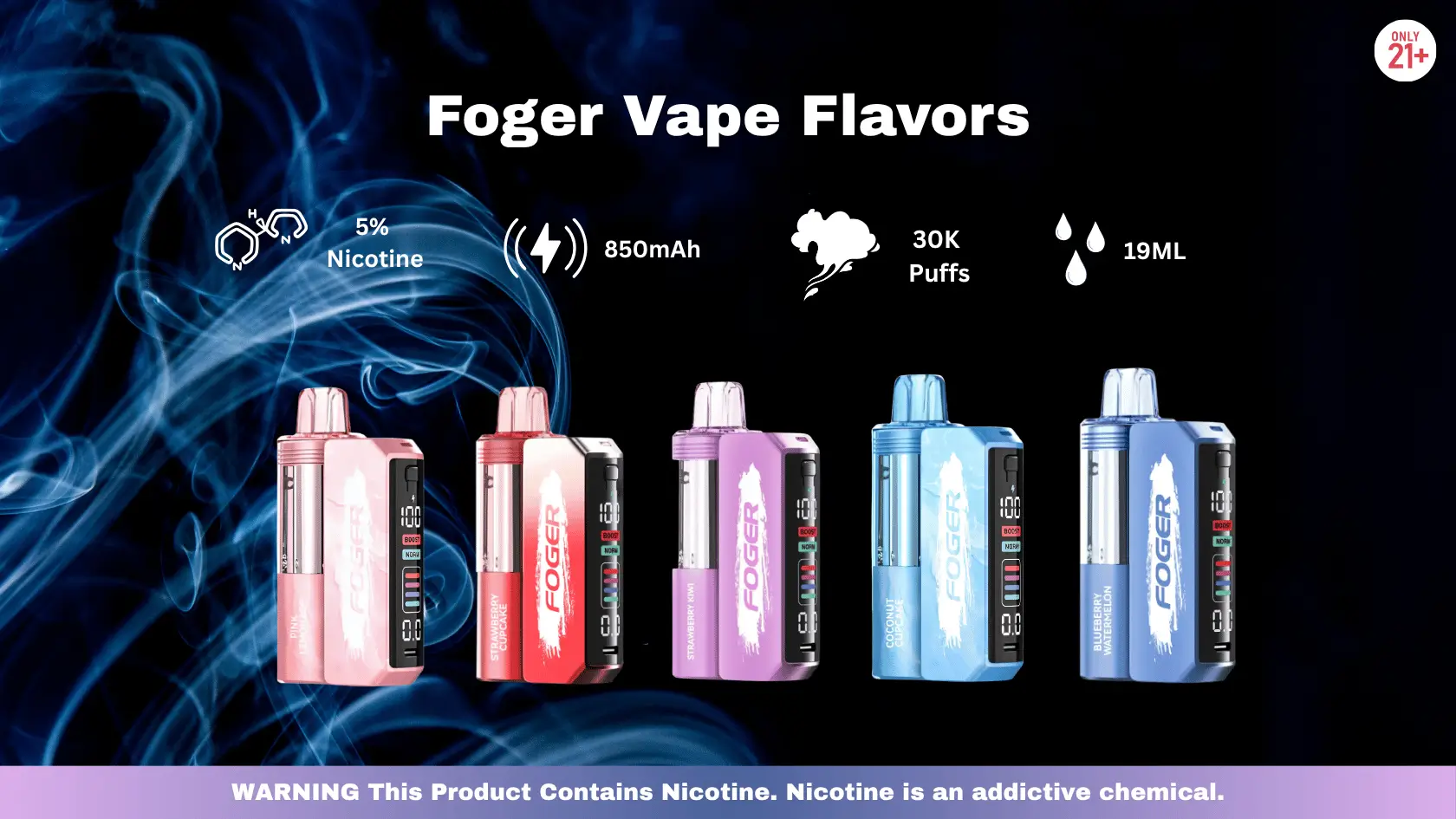
The Switch Pro runs on an 850mAh rechargeable battery, which typically covers one to two full pods before it needs a top-up, depending on how often and how long you draw. The OLED display shows live battery percentage so you're never guessing.
Each pod is rated for up to 30,000 puffs, so the battery — not the pod — is usually what determines how often you're reaching for the charging dock.
Set the device in its smart USB-C dock; a full charge takes roughly 45 minutes. The dock manages the charging curve automatically, which is part of why the Foggers Vape Flavors lineup lasts as long as it does without noticeable battery degradation over repeated cycles.
Quick spec check: 850mAh battery · USB-C smart dock · ~45-minute full charge · dual mesh coil · OLED display for puff count, battery %, and wattage.
The Switch Pro lineup runs 20+ flavors, spanning fruit, dessert, and menthol profiles, so there's room to rotate rather than refilling the same pod every time. Checking the current Flavors List before you order saves you from stocking up on something that's about to rotate out. A few that regularly come up in flavor discussions:
Since flavor availability shifts, the current full list is always accurate on the product page rather than in any single blog post — worth a quick check before you commit to a bulk order.
A practical habit worth building: keep two or three pods on hand at once, mixing a dependable everyday flavor with something you only reach for occasionally. That way a single flavor selling out doesn't leave you without a working pod, and you're not stuck vaping the same profile every single day.
This comes down to how you actually vape. If you like sticking with one flavor and don't mind recharging every couple of days, the Switch Pro's refill system saves money over time since you're not replacing the whole device.
If you want zero maintenance and don't mind tossing the device when it's done, the Bit 35K's 35,000-puff sealed design removes charging and pod-swapping from the equation entirely.
| Factor | Switch Pro (Refillable) | Bit 35K (Disposable) |
|---|---|---|
| Puff Count | Up to 30,000 per pod | Up to 35,000 total |
| Charging | USB-C smart dock, ~45 min | None — single use |
| Ongoing Cost | Lower after first kit purchase | Full price each time |
| Maintenance | Pod swap + occasional charging | None |
Puff counts and charging specs reflect current listed device specifications on thefogerpods.com and are subject to change by the manufacturer.
Ordering directly is the most reliable way to get current-lineup pods rather than whatever's left on a local shelf. You can browse the full pod and kit selection and Foger Buy Online whenever you're ready to restock.
Buying ahead of time — rather than waiting until a pod is completely dry — means you're never stuck mid-week without a backup.
Local shops carry a narrower selection and typically mark up disposables and pods over direct pricing. If you're out of pods today and need one tonight, a nearby store is a fine stopgap. For everything else — planned restocks, specific flavors, or bulk orders — ordering ahead avoids the markup.
For a full breakdown of local pricing versus ordering direct, the Foger Vape Near Me guide covers exactly what to expect at nearby shops.
Full flavor lineup, current pricing, verified authentic pods — shipped fast straight from the Foger Pods Official Website.
Shop Foger Pods Now →No. The Switch Pro uses sealed, pre-filled pods rather than an open tank, so there's no way to add your own e-liquid. "Refilling" means swapping in a new factory-sealed pod.
No. The Bit 35K is a fully sealed disposable device. Once the pod is empty or the battery dies, the entire unit is discarded — there's no pod door or refill mechanism.
Typically once every one to two pods, depending on draw frequency. The 850mAh battery fully recharges in about 45 minutes on the USB-C smart dock.
The most common cause is dirty or misaligned magnetic contacts. Wipe both the pod and device contacts with a dry cloth and reseat the pod flush and straight.
Ordering directly from the official site is generally faster and cheaper than local shops, and guarantees you're getting the current flavor lineup with authenticity verification included.